ATMONS: Terrabite Features Overview

Overview of Team Rocket Sell, Professor Oak Trade-In, Shop, and Cases.
T4in
20 Feb, 2026
ATMONS: Terrabite Features Overview

Here’s a quick overview of the main in-game systems on ATMONS: Team Rocket Sell, Professor Oak Trade-In, the Shop, and Cases.

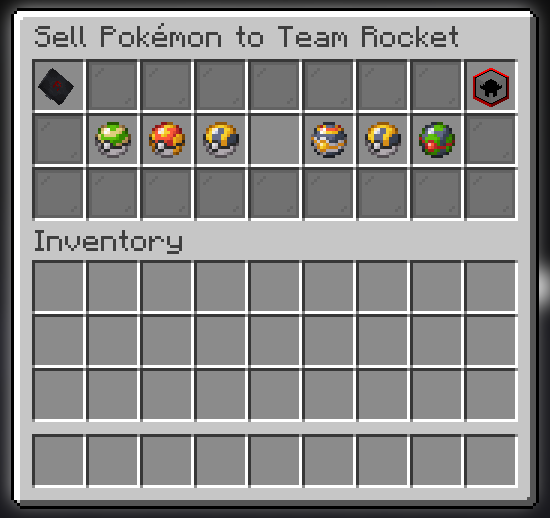
Team Rocket Sell

Sell Pokémon to Team Rocket for Bitecoin with rotating daily bonuses and detailed value breakdowns.

  • Daily bonus type: Each day a Pokémon type gets a bonus multiplier. The daily announcement appears in chat.
  • Daily sell cap: The server has a daily cap on total Rocket sales. The GUI shows current progress.
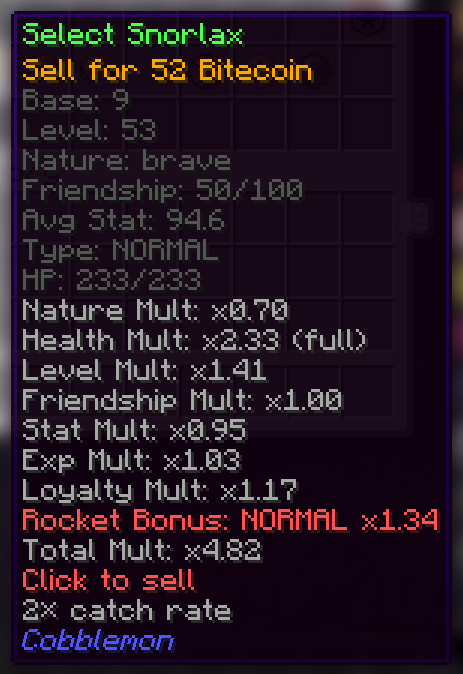
  • Value breakdown: The sell GUI shows how factors like level, friendship, stats, nature, health, shiny, and supporter status affect price.
  • Commands:
    • /sell opens the Team Rocket sell menu.
    • /teamrocket status shows daily bonus, cap, and your lifetime sales.
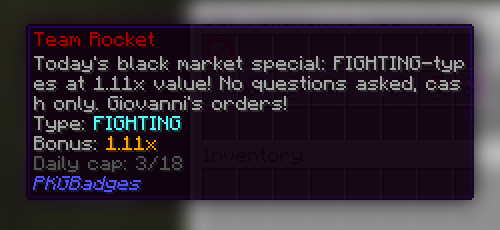
bonus announcement
sell menu multiplier

Professor Oak Trade-In

Trade in Pokémon for case points and redeem those points for Terrabite Cases.

  • Trade-in points: Each Pokémon grants case points based on its calculated value.
  • Daily trade-in limit: A daily cap prevents unlimited trade-ins.
  • Redeemable cases: Case points can be redeemed for cases when you hit the threshold.
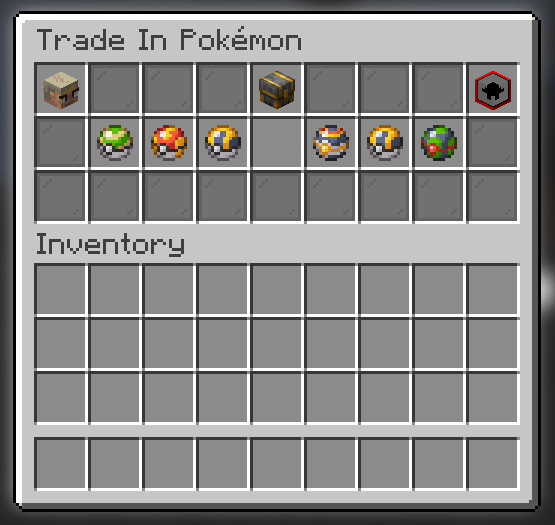
  • Value breakdown: Trade-in GUI shows the same price factors as the Sell GUI.
  • Commands:
    • /tradein opens the trade-in menu.
trade-in menu

Shop

Central hub for purchases and quick access to other services.

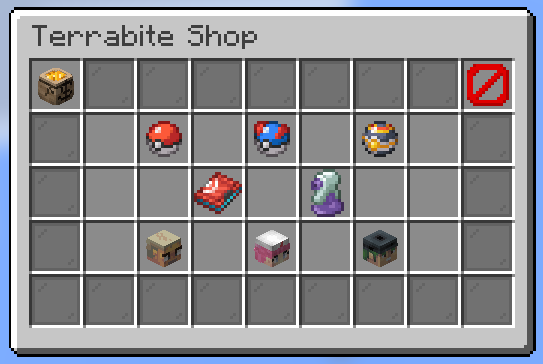
  • Categories: Poké Ball tiers, accessories, and potions.
  • Balance display: Current Bitecoin shown in the top-left.
  • Quick links: Buttons for Professor Oak Trade-In and Team Rocket Sell.
  • Nurse Joy services: Heal party, open PC, and quick access to medical supplies.
  • More coming soon!
  • Commands:
    • /shop opens the shop menu.
shop menu

Cases

Open Terrabite Cases to receive a random Pokémon with rarity tiers.

  • Rarity tiers: Rewards roll into rarity buckets (e.g., common, uncommon, rare, epic, mythic, legendary).
  • Reveal flow: The case opening UI animates a roll and announces the reward in chat.
  • Case redemption: Cases are earned by trading in Pokémon for points.
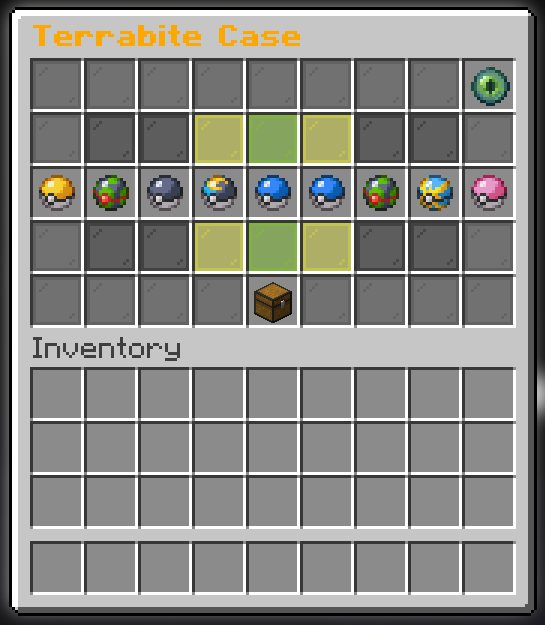
cases menu

Keep Reading

Related Posts

ATM: Player Shop Overview

ATM: Player Shop Overview

Here is a quick overview of the ATM Player Shop system, including browsing other player listings, selling your own items, tracking sales, an...

read more
How to change your prefix

How to change your prefix

Selecting Your Prefix: Command: /prefix select Description: Opens a menu showing all available prefixes. Simply click on your desired prefix...

read more
A Guide to ElementalCraft Optimisation with Entangled Blocks

A Guide to ElementalCraft Optimisation with Entangled Blocks

Time and time again, we find that ElementalCraft pipes are very unoptimised for the server. They consume a lot of us/t for seemingly no reas...

read more
ATM10 - Applied Energistics: Import Bus and Crafting Card Optimization

ATM10 - Applied Energistics: Import Bus and Crafting Card Optimization

Avoid using many Import Buses replace it with Interface If machine offers an option to Auto Export/EjectAnother alternative would be (if mac...

read more
ATM10 - Hostile Neural Networks Optimization

ATM10 - Hostile Neural Networks Optimization

It takes ~33 seconds for a Simulation Chamber to produce one Prediction.It takes ~7 seconds for a Loot Fabricator to turn it into Loot. Whic...

read more
ATM10 - Integrated Dynamics Optimization

ATM10 - Integrated Dynamics Optimization

Integrated Dynamics offers many logic options, but it can become laggy if overused incorrectly. Ways to optimize:Have smaller networks. Incr...

read more
ATM10 - How to use Jetpacks

ATM10 - How to use Jetpacks

Jet Packs are not getting banned, but you have to use them in a certain way that wont cause unnecessary stress on the server. Equipping Jetp...

read more
ATM10 - Pipez: Common Pitfalls

ATM10 - Pipez: Common Pitfalls

Pipez and how to not use themAdding the fastest upgrade on a machine that doesn't need it at all may not seem like 2 µs/t is a lot, but when...

read more
ATM10 - Powah: Ender Gate Optimization

ATM10 - Powah: Ender Gate Optimization

Please avoid using many Ender Gates if machines are all next to each otherIt isn't very well optimized. Using a couple is fine but having 20...

read more
ATM10 Ranks & Permissions

ATM10 Ranks & Permissions

Welcome to the ATM rank progression guide. Playtime is calculated across all TerraBite servers — no matter which server you play on (ATM or...

read more
Avoid chunk corruption

Avoid chunk corruption

Introduction: Chunk corruption usually happens when a chunk was unable to be saved properly, the reasons for that can either be pinpointed t...

read more
How to make a shop

How to make a shop

Hello, everyone! Welcome to this guide. I will show you how to create your own shops and use the new currency system on our server. To estab...

read more
Lag Friendly Mystical Agriculture Farm

Lag Friendly Mystical Agriculture Farm

Our first YouTube guide on Mystical Agriculture Lily Pad Farms was published this week. We encourage everyone to watch it and consider the a...

read more
Introducing the Questshop

Introducing the Questshop

We’re introducing something new to the quest system: the Questshop. The idea is simple: do quests → earn coins → spend them in the Questshop...

read more
Terrabite Network ATM9RB 2024-2025 Review

Terrabite Network ATM9RB 2024-2025 Review

2024-2025 Build Showcase: Highlights from All the Mods9RB Community Explore the incredible creations our players have built on the All the M...

read more
Terrabite Network ATM9 2024 Review

Terrabite Network ATM9 2024 Review

2024 Build Showcase: Highlights from All the Mods9 Community Explore the incredible creations our players have built on the All the Mods9 Mi...

read more
Using observable correctly (TPS FIX)

Using observable correctly (TPS FIX)

Introduction: Observable is a tool that allows you to check which blocktiles , entitys and other processes kept the server busy per tick, it...

read more